


The best AI tools for business can help save time, automate repetitive tasks and support everything from research and writing to marketing, meetings and customer service. With so many AI platforms now available, however, choosing the right tools for your business can be difficult.
The Women’s Journal has rounded up the best AI tools for businesses in 2026, including options for small businesses, marketing teams, content creation and productivity. We also spoke to female founders and business experts about how they use AI, where it can add value and why human expertise should remain at the heart of your workflow.
Editor’s Picks: The Best AI Tools for Business 2026
- Best AI Tool for Business Overall: ChatGPT
- Best AI Tool for Long Documents: Claude
- Best AI Tool for Google Workspace: Google Gemini
- Best AI Tool for Microsoft 365: Microsoft Copilot
- Best AI Tool for Organisation: Notion AI
- Best AI Tool for Writing and Editing: Grammarly
- Best AI Tool for Design: Canva Magic Studio
- Best AI Tool for Research: Perplexity AI
- Best AI Tool for Marketing: Jasper
- Best AI Tool for Presentations: Gamma
- Best AI Tool for Meeting Notes: Fireflies.ai
- Best AI Tool for Automation: Zapier AI
The Best AI Tools for Business
AI is a useful addition to businesses, but it is also important to remember that users still have control over how they would like to implement it. We spoke to Luciana Rosseau, Group Head of Client Innovation at Morson and doctoral researcher in Human AI Interface, Behaviour & Ethics. Luciana shared with us that AI anxiety stems from a lack of understanding. To overcome this, businesses should treat AI as a secondary resource that they can control. She explains:
“When people talk about their “fear of AI”, usually what they’re actually experiencing is algorithmic anxiety – the strain of being asked to rely on systems they don’t fully understand, can’t easily question, and may be held accountable for if things go wrong […] The most effective organisations treat confidence with AI as a design variable, not an afterthought.”
With this approach in mind, there is no one-size-fits-all when it comes to the best AI tools for business. Which specific tools are best will largely depend on your business needs and industry. Our roundup includes a range of creative and administrative tools that can support and streamline your current workflow.
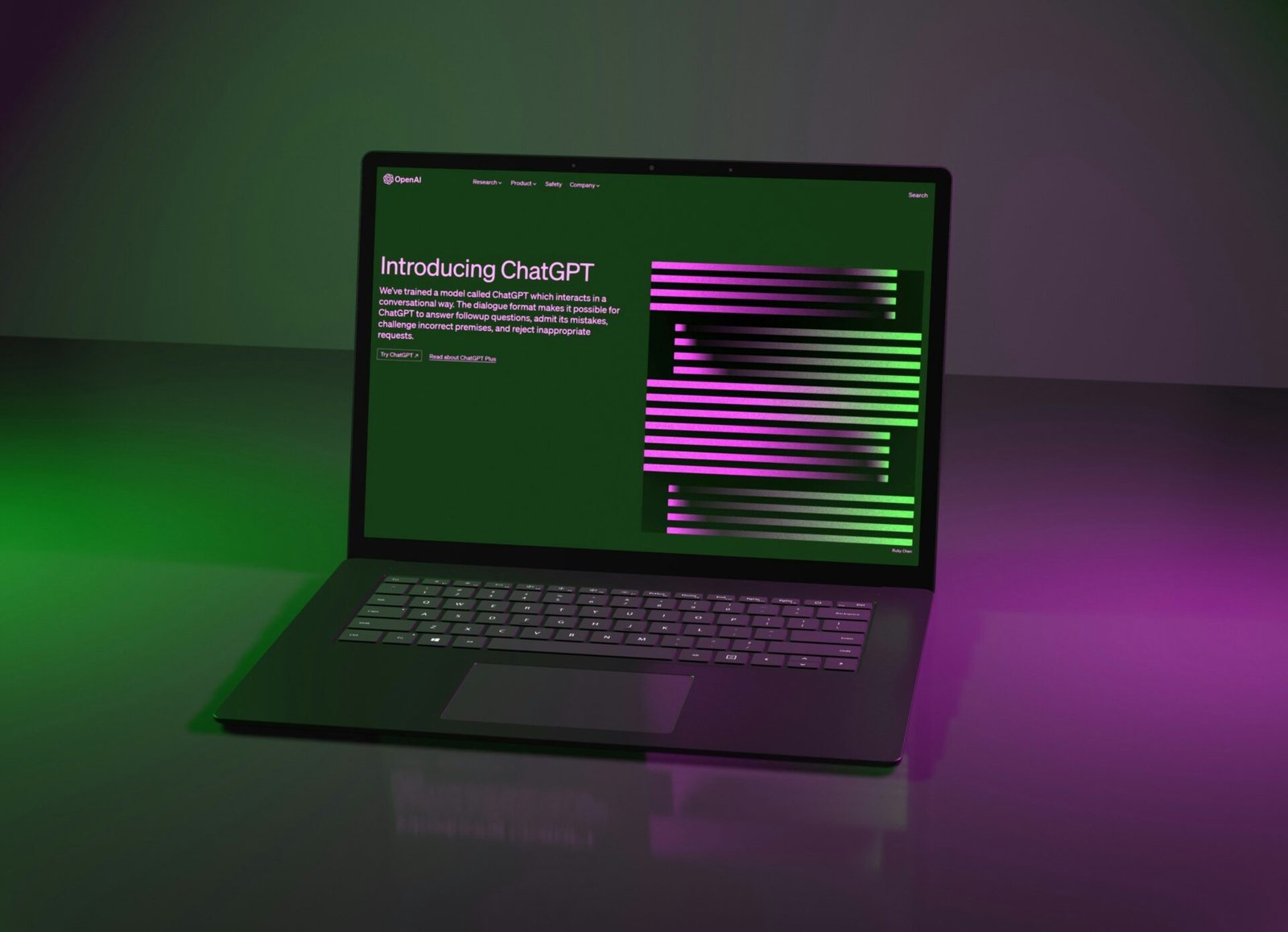
ChatGPT
One of the most popular and recognisable tools is ChatGPT. First released on November 30, 2022 by OpenAI, the platform reached one million users in five days. Although there is still some hesitancy around the software, it can be useful for speeding up manual tasks, planning and organisation, and supporting coding.
Businesses should consider privacy and data protection before entering sensitive company or client information into any AI platform. For organisations using ChatGPT, Business and Enterprise plans provide additional business privacy and security controls, and OpenAI states that business data is not used to train its models by default. When treated as a secondary tool or assistant to your existing processes, ChatGPT is effective for saving time and automating lengthy administrative or organisational tasks.
Claude
Claude is an AI assistant developed by Anthropic that can analyse and summarise lengthy documents, support research, generate content and help with complex tasks. The software also differs in the sense that it provides more complex reasoning and context compared to surface-level AI responses. Users are switching to Claude for this reason.
Recently, Anthropic launched its Claude for Small Businesses model. The new model can automate workflows and connect to your existing tools, such as HubSpot, Canva and Google Workspace. Claude is also capable of scheduling and completing routine tasks, which can help to save time that can be spent on other areas.
Google Gemini
Gemini is also an LLM, created by Google as a family of multimodal AI models, meaning it can process many data types such as audio, software, images and text. The software is still emerging, but can be used within everyday business practices to support repetitive tasks.
Some of its uses include drafting emails, summarising notes and documents, and also pulling data from connected Google apps (Gmail, Drive and Docs). These uses can be beneficial for teams managing vast amounts of data that needs extracting and summarising. As the model is undergoing development, it is worth considering where it does or does not fit in with your workflow.
Microsoft Copilot
Microsoft Copilot is a generative assistant, which means that it can perform complex research, translate texts, process audio and visual data and write in popular code languages. All of these capabilities make it a useful addition to business workflows.
Ways of introducing it in your workflow include making use of the summarise button to catch up on lengthy email threads, recapping Teams meetings and summarising your weekly productivity. These features can quickly organise your workload, meaning you have more time to spend on in-depth projects and time-sensitive tasks.
Notion AI
The digital planner Notion now has a collection of AI features, covering organisation and even writing and editing tools. A few places where Notion AI can support you include brainstorming and editing ideas, summarising content, and analysing large data sets.
One of its most useful features for businesses is the database function. Upon command, Notion AI can build and edit databases with views and filters. This works well for those wanting to save time on routine and organisational tasks, with Notion automatically generating a clear setup.
Grammarly
Grammarly is an AI-powered writing assistant that helps improve grammar, clarity, tone and style. Grammarly is now part of the Superhuman productivity suite, alongside products including Superhuman Mail, Superhuman Docs and Superhuman Go.
With Superhuman, you can use Grammarly to edit documents, text and copy. Its other useful features include the digital planner, Docs, and an automated email assistant, Mail. Once again, these tools help to speed up manual tasks, freeing room for more intensive tasks.
Canva Magic Studio
A newer feature to Canva is Magic Studio, a built-in selection of AI-powered tools. Users can generate images, retouch existing ones and edit designs and visual media. Although this should not be viewed as a replacement for human creativity, the features may be particularly useful for small businesses and for assisting with manual tasks.
Magic Studio may work well for creative teams, such as social media teams, who are working to quick turnarounds. Features like the automatic caption generator can help support the creation process without reducing the need for human input.
Perplexity AI
Founded in August 2022, Perplexity AI is a conversational search engine that returns well-sourced research to its users. What distinguishes it from other AI models is its ability to retrieve high-quality research sources and comprehensive answers to user queries. This makes it particularly useful for industries such as research, business and education.
Businesses can use Perplexity AI for market and competitor research, due to the depth of its data processing ability. Also, it can be used to improve customer service operations. By integrating it with existing chatbot features, businesses can deliver accurate and quick responses to customer queries.
Jasper
Jasper stands apart from other AI assistants due to its speciality within marketing. It works especially well for content marketing because of features like Jasper Canvas. This is a visual workspace for users to map out exactly what is needed in a campaign, helping you to organise your assets. Also, its content generation tool accounts for brand tone, which can support PR & communications and marketing teams. Adding your own brand voice and rules personalises otherwise generic AI content.
Gamma
Gamma AI transforms text prompts and uploaded content into presentations, documents and websites. The platform can be useful for creating pitch decks, reports, proposals and other business materials without having to build everything from scratch. Users can also customise designs, edit content and share their finished projects.
Fireflies.ai
Fireflies is a great tool for businesses that frequently work with clients. With the software, you can record, transcribe and summarise meetings, helping to keep on top of decisions and conversations. This notetaking support feature makes it easier to keep a record of important information, and Fireflies acts as a digital assistant and planner.
Otter.ai
Otter is an AI-powered meeting agent that helps to organise your conversations. The platform has several functions, including connecting with other apps, automated meeting summaries and collaborative note editing. Ideal for businesses with regular client calls, Otter is useful for making information easier to track and share with your team.
Zapier AI
Zapier AI is useful for taking care of repetitive jobs that can take time from your working day. It connects the apps you already use and can help with tasks such as moving information between platforms, sending notifications and sorting incoming data. Small businesses and online shops could use it to cut down on admin and spend more time on other parts of the business.
HubSpot AI
HubSpot AI brings AI features into marketing, sales and customer service. Businesses can use the tools for several tasks. For example, creating content, analysing customer information and supporting everyday tasks. The platform works well for companies already using HubSpot that want to introduce AI into their existing workflow.
Midjourney
Midjourney generates images from text prompts, helping create visual content without traditional design software. Businesses can use the platform to develop ideas for areas such as marketing campaigns, social media, websites and other creative projects. The tool can also help visualise concepts before committing to a finished design.

How We Chose the Best AI Tools for Business
We selected the best AI tools for business by considering their features, ease of use, integrations and how they can support common business tasks. Our roundup covers a range of use cases, including writing, research, marketing, design, meetings, automation and productivity, with options suited to both small businesses and larger teams. We also considered where AI can complement human expertise rather than replace it.
Which AI Tool Is Best for Your Business?
The right tool for your business depends on your industry and individual needs. These tools cover a variety of sectors and can help with everything from writing and marketing to customer service, meetings and admin.
Best AI Tool for Writing
HaloMate supports a range of everyday writing tasks, from brainstorming ideas to polishing existing copy. The tool can also adapt content for different audiences and formats, making it useful for emails, social media posts and longer-form content.
Best AI Tool for Marketing
Surfer SEO is useful for businesses looking to improve their content and SEO. It can help with keyword and competitor research, content optimisation and finding ways to improve your chances of ranking in search results.
Best AI Tool for Customer Service
Ada can help businesses deal with customer questions and provide support using AI. This can take some of the pressure off customer service teams, leaving them more time to deal with queries that need a human response and care.
Best AI Tool for Small Businesses
Google Workspace has a number of built-in AI features to support businesses. These range from AI note-taking for meetings to AI-powered workflows across Workspace apps. It works well for small businesses due to the range of features available, providing general organisational and assistant support.
Best AI Tool for Content Creation
ContentStudio is a great tool for supporting content marketing and social media management tasks. Some of its key features include writing brand-aligned captions, generating visual media and the use of AI intelligence to tailor content to your brand voice. The platform also creates content schedules, helping businesses stay on top of their content goals.
Best AI Tool for Productivity
Monday AI can turn conversations into project processes, summarise updates, create workflows and even generate custom apps. Monday is particularly useful for improving productivity, as it takes care of administrative and organisational tasks, allowing users to focus more on creative tasks that require human input.
Are AI Tools Worth Paying For?
Yes, certain AI tools are worth adding to your business toolkit. However, it is also important to exercise caution when implementing new software. AI is an evolving field, and new tools are being regularly rolled out. Rather than purchase every platform, make sure to consider carefully any gaps where AI can be of assistance.
The Women’s Journal consulted women in business to find out how they are using AI in their practices and its benefits. From an increase in speed to better productivity, they shared with us how to optimise AI for the best performance.
Improves Speed
We spoke to Lucie Herring, founder and director of Gilded Herring PR, a boutique luxury lifestyle PR and partnerships agency. In her day-to-day work, Lucie uses AI to help speed up research, first drafts and competitor and media landscape analysis. She shared that this allows her more time to spend on creative tasks. She explains:
“The biggest benefit for a boutique agency like mine is speed without sacrificing quality, provided you know how to prompt properly and edit ruthlessly afterwards. It has the greatest impact on the unglamorous groundwork: research, drafting, organising ideas into a coherent structure, so your energy goes into the parts of the job that need judgement and relationships rather than repetitive admin – all the parts I love!”
For Lucie, AI is not replacing the human side of PR but enhancing it. Professionals can use AI to take care of lengthy and repetitive tasks so they can focus on the creative thinking and connections that underpin a business.
Extra Capacity
Another reason AI tools can be valuable is that they help professionals increase their capacity. Jo Irving, Career & Leadership Coach and Entrepreneur, shares how AI can help support business operations:
“Most business owners don’t lack ideas; they lack the time and headspace to organise and implement them. AI can help with the first draft, the research, the structure and the repetitive work […] For a small business without a large team, that can have a huge impact. It gives the owner more time to focus on the decisions, relationships and creative work that genuinely need them.”
As a result, professionals can devote more personalised attention to customer care and satisfaction. This applies across many industries, including healthcare. Victoria Sampson, Dentist and Co-Founder of The Health Society Mayfair, shares how she uses AI in a clinical setting:
“AI has transformed both the clinical and administrative side of my practice […] [It] also supports treatment planning by bringing together clinical, radiographic and biological data to create more personalised recommendations.”
Because of this, Victoria is able to dedicate more time to her patients and provide high-quality care. She notes that AI is most effective when used alongside human expertise.
Increases Productivity
Finally, AI can increase productivity, making it a worthwhile long-term investment. Cassie Petrie, Managing Director SMB EMEA at SAP Concur, explains how AI can benefit whole teams:
“The biggest benefit, in my opinion, is productivity. It helps the whole company streamline routine work and structure information and insights a lot faster, allowing for stronger, more decisive decision-making. It allows my team to collaborate, innovate and deliver more value to our customers, going above what we thought was possible.”
By increasing efficiency across a business, AI tools can help teams achieve more while allowing employees to focus on tasks where human skills and decision-making add the most value.

Expert Tips on Using AI in Business
AI can be a valuable asset to your business once you learn how to make it work for you. Discover how businesswomen, founders and experts are using AI to streamline their work and boost their productivity.
Treat AI as a Digital Assistant
One of the main ways to make best use of AI is to treat it as if it is an assistant. The Women’s Journal spoke to Suzanne Cummins, owner and founder of 14-Day Manicure, about how she implements AI into her business. She shared with us its main uses and advantages:
“As the founder of 14 Day Mani, AI has become like having an extra team member that’s available whenever I need it. We use it across product development, marketing, customer experience and strategic planning […] It hasn’t replaced people. It’s helped our team spend less time on repetitive work and more time on creative, high-value work that actually grows the business.”
To balance AI and human productivity, business owners should think of AI as an add-on, rather than a replacement. Suzanne also emphasised the importance of considering where it could fill gaps in your workflow:
“Ask yourself what tasks take too long, are repetitive or stop your team focusing on customers. That’s where AI delivers the biggest return. Then remember that AI is an assistant, not the decision maker. The best results come when experienced people use AI to enhance their expertise rather than replace it.”
Clarify Human and AI Roles
Business owners should also ensure they are clarifying which tasks belong to whom. To avoid tech anxiety, Luciana recommends clearly setting out the roles of humans and AI tools:
“Leaders should be explicit. ‘In this process, AI does X; humans do Y.’ For example, AI might scan thousands of documents or options, but humans are still able to decide what good looks like, set priorities and take ownership of decisions. When people can see how their expertise anchors the system, they’re far less likely to feel replaced.”
By establishing these roles, Luciana believes businesses can improve the relationship between human productivity and AI usage: “When employees see AI framed as a helpful colleague that extends their reach rather than a silent judge or surveillance mechanism that might render them obsolete, adoption becomes much healthier.”
Double-Check AI Output
It is always essential to double-check anything produced by AI, including drafts, copy and general information. Lucie shared with us one of the problems in PR with using unchecked AI:
“The main risk is over-reliance, letting AI write your voice for you rather than using it as a starting point. In PR especially, generic AI-sounding copy is easy to spot and does real damage to a brand’s credibility, so everything needs a human edit before it goes anywhere near a client or a journalist.”
To make the most out of any tool, human expertise should have the final say. As Lucie explains:
“Treat AI as a very capable junior member of the team rather than the finished article. It can draft, structure and research, but the judgement, tone and relationships still need to come from you.”
Know Your Tools
Finally, businesses should stay on top of AI while also considering their specific needs. Instead of trialling every tool, owners should identify any areas where AI can fill in. Cassie explained to us:
“AI shouldn’t be implemented just because it’s trendy. It needs to address a particular business challenge, whether that’s administrative tasks or content creation. AI also won’t transform a process without investment. It requires comprehensive employee training and guidance to ensure it is being used effectively.”
The importance of knowing your tools is linked directly to problem-solving, which improves the process of AI adoption:
“A company should identify the problem and focus on AI tools that will best fix it, whilst ensuring it can easily integrate into existing workflows. This helps adoption happen quicker and makes it easier for teams.”
Best AI Tools for Business FAQs
What is the best AI tool for business?
There is not one singular best AI tool for business. Instead, businesses should consider their specific needs, gaps and industry. For example, marketing companies may benefit from insights and workflow automation on platforms such as Jasper and Notion AI. On the other hand, research-heavy businesses may prefer Claude and Perplexity AI for their data processing capabilities.
Which AI tool is best for small businesses?
Google Workspace can be a good option for small businesses. Its AI features can help with everyday tasks such as writing emails, organising information, analysing data and taking notes in meetings.
What is the best free AI tool for business?
Claude is a useful free option for competitor research. It can help you gather information, compare competitors and identify trends, giving you a useful starting point for your own research.
Which AI tool is best for content creation?
ContentStudio is a useful tool for content marketing and social media management. It can help you write brand-aligned captions, generate visuals and tailor content to your brand voice. It also lets you schedule content, making it easier to stay on top of your social media.
Which AI tool is best for marketing?
For businesses looking to improve their SEO and content, Surfer SEO is a useful option. It can help with keyword research, as well as content optimisation for blogs and social media posts.
Which AI tool is best for customer service?
Ada is a useful tool for customer service. The platform is designed to help businesses handle customer questions using AI-powered customer service agents.
Which AI tool is best for writing?
HaloMate supports a range of everyday writing tasks for businesses. For example, brainstorming ideas and editing copy.
Can AI help run a small business?
Yes. AI can support tasks such as content creation, research, data analysis, customer communications and admin, helping small business owners save time and focus on higher-value work. However, human judgement is always necessary.
Are AI tools worth paying for?
Yes, some AI tools are worth paying for. Businesses should carefully consider their needs and invest in the necessary tools to support their workflow and projects. Premium models are also worth it as they tend to have stricter privacy controls.
What are the disadvantages of using AI in business?
One disadvantage of using AI is that it can sometimes generate inaccurate information while sounding confident. Another issue is that some free models use data for training, so users must be especially careful of inputting sensitive company or client information. Finally, AI can sound generic, particularly when used to generate copy. Users should always give AI-generated content a final human edit.
Is ChatGPT the best AI tool for business?
Whether ChatGPT is the best AI tool for business depends on the business itself. ChatGPT is a strong all-round tool, with features such as writing and editing assistance, research, data analysis, brainstorming and image generation, making it a useful generalist tool. However, it may not always be the best choice for businesses looking for a tool tailored to a specific function or industry.
Can AI replace employees?
AI can automate or support some tasks traditionally carried out by employees, but many business functions still depend on human judgement, creativity, accountability and relationships. Businesses can often get more value from AI by using it to support employees with repetitive or time-consuming tasks rather than treating it as a substitute for human expertise.
How do businesses use AI?
Businesses use AI to improve workflows, plan and draft ideas, edit documents and conduct market research. Depending on the industry, businesses will benefit from different AI tools. For example, a content marketing business may use Canva AI features to create supporting visuals.
Which AI tools integrate with Microsoft Office and Google Workspace?
AI tools such as Microsoft Copilot, Google Gemini and Claude integrate with Microsoft Office and Google Workspace. These work with functions including Gmail, Calendar and Docs to help streamline workflows.
Are AI tools safe for business use?
AI tools can be used safely by businesses, but organisations should assess the privacy, security and data-handling policies of individual platforms before using them. Avoid entering sensitive company, customer or client information unless you understand how that data is processed and protected. Businesses handling personal data should also ensure their use of AI complies with applicable data protection requirements.